
First steps in cobot welding automation: a production manager's guide

Post by
Corey Good
May 13, 2026
May 13, 2026
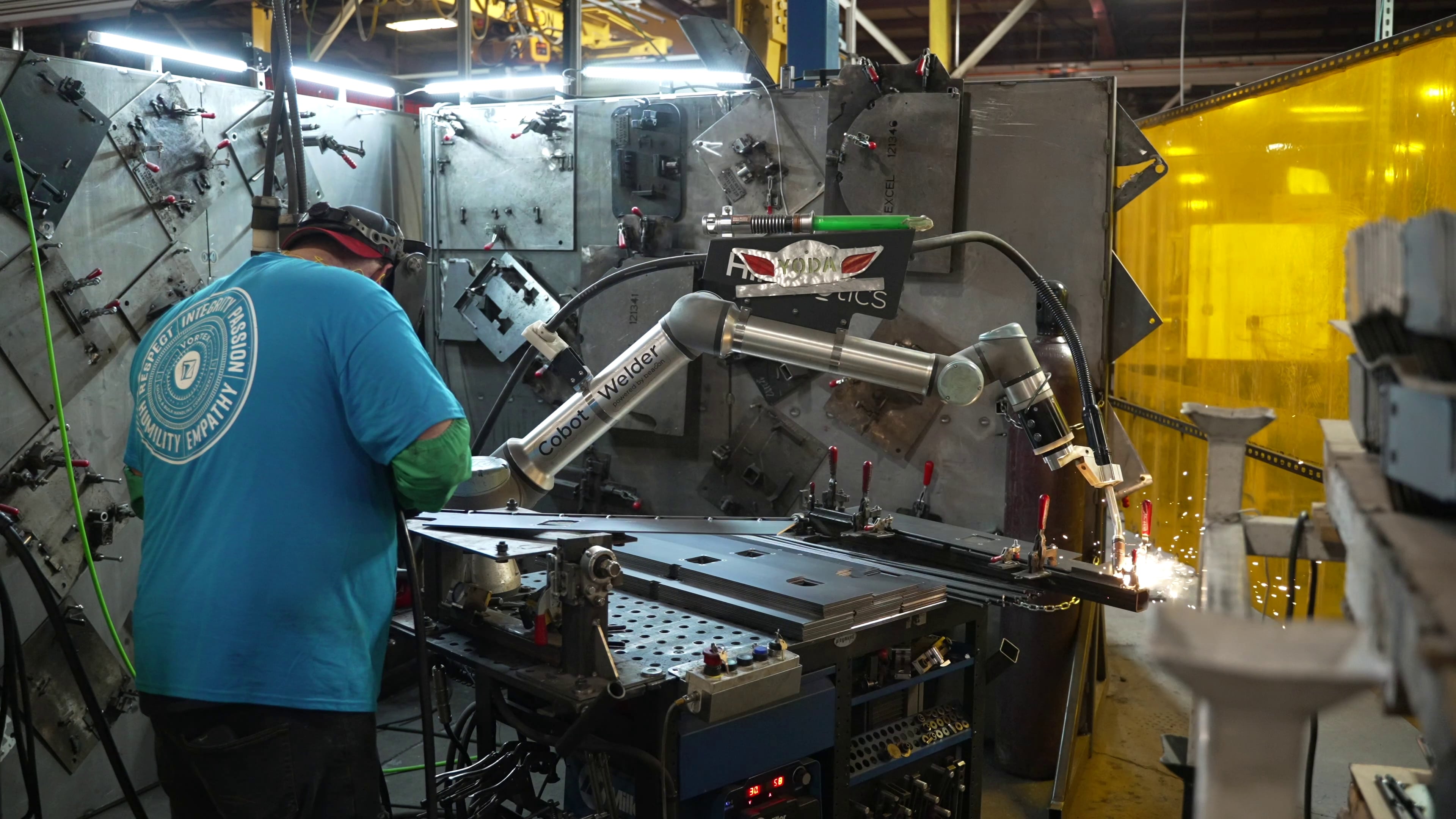
Your shop just bought a Cobot Welder. Or it's about to.
Most of the content out there will tell you the cobot is easy to install. That part's true. What it won't tell you is that the cobot running and the cobot productive are two different things — and the gap between them is your job.
This is a guide for the production manager who has to make the cell work. Not the owner who signed the PO. Not the welder who'll run the parts. The person in between, who has to figure out where it goes, how it connects to everything else, and what the line actually looks like once it's in.
Here's how to think about your first 90 days.
The cobot isn't the project. The cell is.
The biggest mistake production managers make with their first cobot is treating it like a piece of equipment instead of a process change.
A new press brake gets installed and goes back to being a press brake. A new welder gets hired and slots into an existing role. A cobot is different. It's faster than what it replaces, which means everything around it has to keep up: Material flow upstream; quality checks downstream; operator coverage during the cycle; fixturing storage between jobs. None of that scales automatically when a cobot moves into a station.
If you only think about the cobot, you'll have a fast machine producing more WIP than the next station can absorb. You'll have welders standing next to a running cobot because nobody planned for the coverage model. You'll have fixtures piling up on the floor because there was nowhere to put them.
The cell is the project. The cobot is one component of it.
Where the cobot belongs physically
Start with material flow.
Walk the part path before deciding where the cobot goes. Some things to consider:
-
Where does the part come from?
-
Where does it go next?
-
How does it get there today, and will that path still work when the cell is running 3x faster?
A cobot welding cell needs four physical things in proximity:
-
Incoming part staging
-
The cobot itself
-
Outgoing part staging
-
Fixturing storage.
The cobot's footprint is the easy part. The supporting space is what trips most shops up. A cell that looks fine on a CAD drawing falls apart when there's nowhere to put the next pallet of parts and the operator is walking 30 feet between fixture changes.
A few principles that hold across most shops:
-
Keep the cobot close to its upstream constraint. If cuts feed welds, the Cobot Welder belongs near the cutting station — not at the far end of the shop. Every foot of travel is wasted operator time and a chance for parts to get mishandled.
-
Stage incoming and outgoing on opposite sides. It sounds obvious. Most cells don't do it. Cross-flow at the cobot creates collisions, slowdowns, and quality issues from operators reaching across the cell during a weld.
-
Plan fixture storage at the cell, not in a separate area. The fastest cobot deployment in your shop will be the one where fixture changeover takes 5 minutes instead of 30. That requires fixtures within arm's reach, organized, labeled, and ready.
Read more on why fixturing matters more than most shops realize: Why automated weld fixturing reduces rework →
Where the cobot belongs operationally
Layout is the easier half. The harder question is operator coverage — and most shops get the math wrong.
A cobot doesn't need an operator standing in front of it the whole shift. Once a part is loaded and the program is running, the cobot is welding and the operator's hands are free. That's the productivity unlock — but only if you've designed for it.
In practice, a skilled operator can cover 2–3 cobots simultaneously, especially on longer-cycle parts where load/unload gaps allow them to rotate between machines. That's a major shift in how you think about staffing. One welder running one manual station is a 1:1 ratio. One operator running three cobots is a 1:3 ratio — three stations of throughput from one set of trained hands.
But that math only works if:
-
The cobots are physically close enough to rotate between. If your three cobots are at three ends of the shop, no one operator can cover them.
-
Cycle times are long enough to support rotation. Short-cycle parts (under 2 minutes) often need 1:1 coverage because the operator can't get to the next machine before the current one finishes. Mid-cycle parts (5–15 minutes) are the sweet spot for 1:3 coverage.
-
Fixturing changeover is fast. The bottleneck on multi-cobot operator coverage is usually fixture changes, not weld cycles. Faster changeover means more cobots one operator can realistically run.
This is where remote management starts to matter. With BeaconPro, you can see all your cobots from your phone — production numbers, gas and wire consumption, cycle times, alerts. The production manager isn't tied to the floor. The operator isn't tied to one station. The whole coverage model gets more flexible when the data follows you.
Plan for where the bottleneck will move
This is the part most production managers learn the hard way.
When you automate one process, the constraint shifts. The cell that used to be slow is now fast — which means the next slowest process is now the one limiting your output. If your welding cobot triples its station's output, the bottleneck moves to whatever's feeding it (cutting) or whatever's downstream (paint, assembly, shipping).
This is a feature, not a bug. It's how shops scale. But it requires planning before the cobot lands, not after.
Map your line. Identify the next bottleneck after welding. Decide whether you're going to fix that bottleneck (more capacity, smarter scheduling, automation in that station) or accept it as the new ceiling on output. Either choice is fine. The wrong move is to install a cobot welder, watch parts pile up at the next station, and be surprised by it.
More on why the bottleneck moves and what to do about it: Why your next cobot maybe shouldn't be another welder →
What advanced features change about the math
Three Beacon features change the operational math meaningfully, and they're worth understanding before you finalize the cell design.
-
Through-Arc Seam Tracking lets the cobot adjust torch position in real time for variable joint gaps and part-to-part inconsistency. The operational impact: upstream cuts can be slightly less consistent without breaking the cell. That changes what you require from the station feeding your cobot — and reduces rework on parts that would've otherwise needed manual intervention.
-
Multipass automates the layered weld passes thicker materials require, while speeding up the time your operator spends programming. The operational impact: thicker parts run longer cycles unattended. That extends your operator's coverage range — a 30-minute multipass cycle gives one operator time to manage two or three other stations.
-
BeaconPro extends what base Beacon already gives you — real-time visibility, custom charts, file backup — with the features that matter once you're running more than one cobot:
-
Custom operator roles let you delegate cell management without handing out admin access.
-
30 days of chart and part history (vs. 7) is enough runway for monthly planning and trend analysis.
-
Slack integrations route robot events into your team's existing comms instead of one more app to check.
-
The operational impact: a multi-cobot floor doesn't require a production manager to be on it.
-
Each of these features changes a specific constraint in the cell design. Worth knowing before you draw the layout, not after.
Plan for 60 days, not 60 minutes
The cobot will run on day one. That's not the milestone.
The cell will take 60 days to optimize — fixturing iterations, operator coverage adjustments, layout tweaks, scheduling changes, the discovery of constraints you didn't see on paper. Plan for that. Build a 60-day review into your project plan. Track what's actually happening, not what was supposed to happen.
The shops that get this right come out the other side with a cell that's running well and a team that knows how to install the next one. The shops that don't end up with a fast cobot in a slow line, wondering where the ROI went.
The cobot was the easy part. The cell is the project. Run it like one.
Where to go from here:
- See pricing for Cobot Welder, Cobot Cutter, and Cobot Painter → Pricing
- More on the questions to ask before you buy → Your first 7 questions about welding & cutting cobots →
- Talk to someone about your shop's specific layout → Contact